Skip to main content
What if the software won't load after installation?
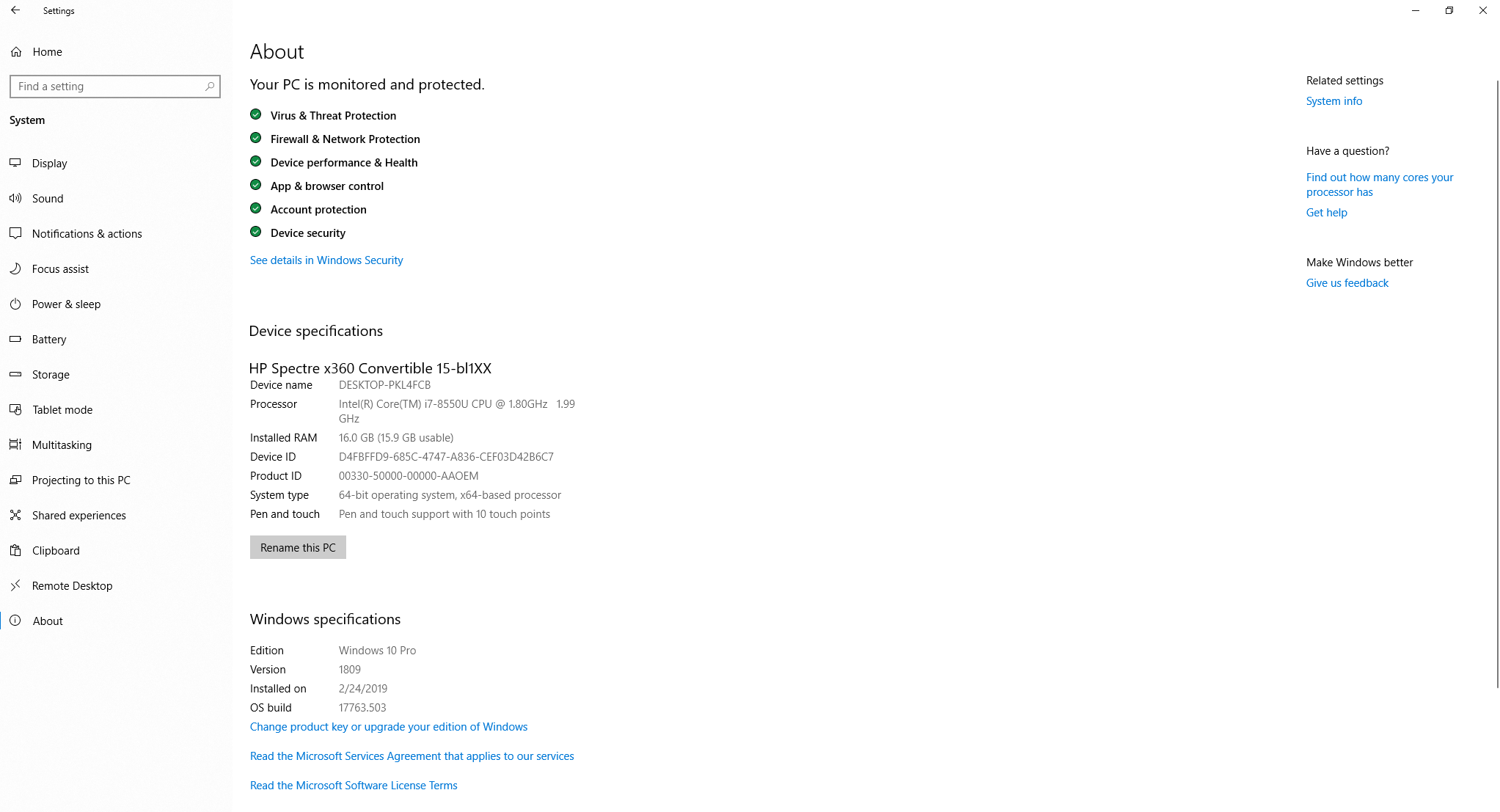
- Check to see if software meets Minimum Computer Specifications. To see existing computer specifications
- In Search Bar Type "Settings"
- Select System
- Select About
- Follow installation instructions
- If converting from Meibox 1.0 Software to 2.0 Software, ensure that you have fully uninstalled software prior to installing the 2.0 software
- If installed, but unable to log check email associated with username to verify account.
- If you do not receive confirmation link, check spam email to ensure that email is not blocked. After locating email, click on verification.
- If you do not receive an email, contact us at MX2support@optase.com
